
Our tech stack
Having the right tech gear is paramount for our productivity, but even more important are the tools we use to communicate, store documents, and get things done. While every team and individual has the autonomy to use different tools or introduce new ones, we have a standard tool stack that we all use as a default.
Written Communication
We are using Slack to communicate both internally and externally. The preferred choice is to invite Partners or Clients as Single Channel Guest users to our Slack domain.
ResourceSlackOpenWhen that is not possible, you should stick to MS Teams, or even WhatsApp. Email will only be our last resort.
We have structured Slack in a way that makes sense to us:
- All-Hands Channel: Everyone is by default a member. This is where we share company announcements or any mandatory information. This communication can come from anyone in the company.
- Random Channel: Everyone is by default a member. This is where we share interesting reads, fun stuff, pictures, nice-to-know info, etc.
- Team Channels: Every team has their own channel to communicate and align.
- Project Channels: Every time we kick-off a project, we create a dedicated channel to ensure easy information flow.
- Other Channels of Interest: Examples include the tech talks channel, the storytelling channel, the books channel, the travel channel, the jukebox channel, etc. These are optional to join, and everyone chooses the ones that match their interests.
- Raise Your Hand Channel: Whenever we open a new project in Notion, a Zapier workflow automation sends a notification to this channel. This allows everyone at REBORRN to be aware of the project and, if they are interested, to raise their hand to participate.
Video Calls
Our standard tool for communication is Google Meet:
ResourceGoogle MeetOpenBut if our clients have restrictions, we will follow their guidelines so we also have MS Teams licenses.
Virtual Collaboration
We use Miro to collaborate internally for problem solving, and we onboard our clients when it comes to sprints and working sessions.
ResourceMiroOpenOur designers also use Figma:
ResourceFigmaOpenProject Collaboration
We use Asana for project collaboration, and being transparent we also offer visibility to our clients for that:
ResourceAsanaOpenCreating and organising documents
All of our files are saved in our Google Drive. Our drive is open to the whole company across all levels so everyone has access to the same information.
ResourceGoogle DriveOpenAnd, of course, we use Notion! This has become our favourite tool. This is where we have created our Wiki, where we draft our First Thoughts documents for our clients, build our Single Source of truth, etc.
ResourceNotionOpenGetting Feedback
When it comes to any sorts of feedback either internally to run a survey, or to be evaluated for a client project, we use Typeform. We also use Pollfish for quantitative user research.
ResourceTypeformOpen ResourcePollfishOpenCompany Wiki
Our company wiki is our go-to place for everything. It is created, of course, in Notion and aligns with our REBORRN OS approach.
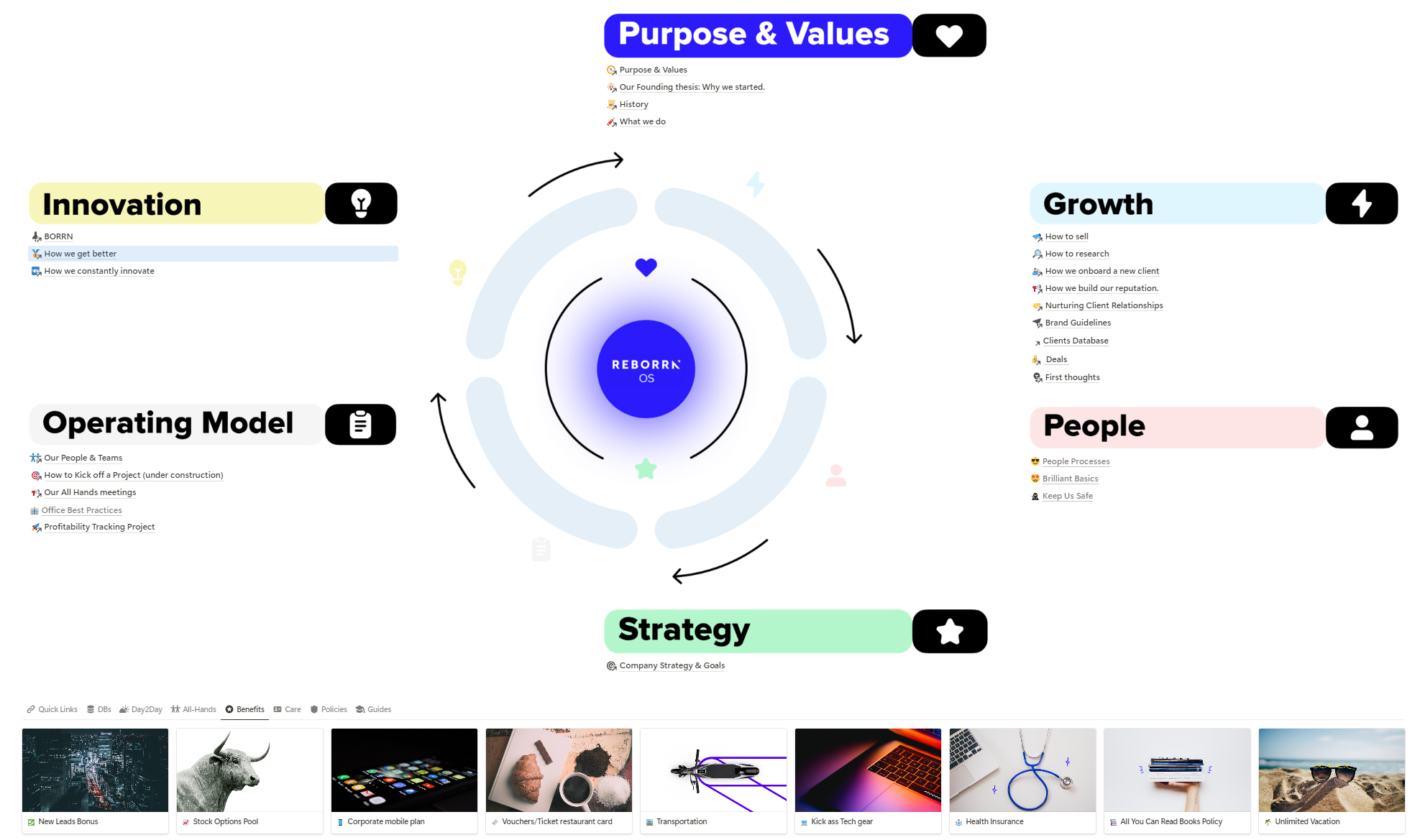
We are currently revising the governance model to ensure that all information remains up to date effortlessly and promptly.
Single source of truth
For every project and client, we create a single source of truth in Notion to ensure that we have all the necessary information and that everyone involved is aligned.